Is Someone Else Controlling Your Clinic's Google Profile? 5 Risks of an Unclaimed Listing
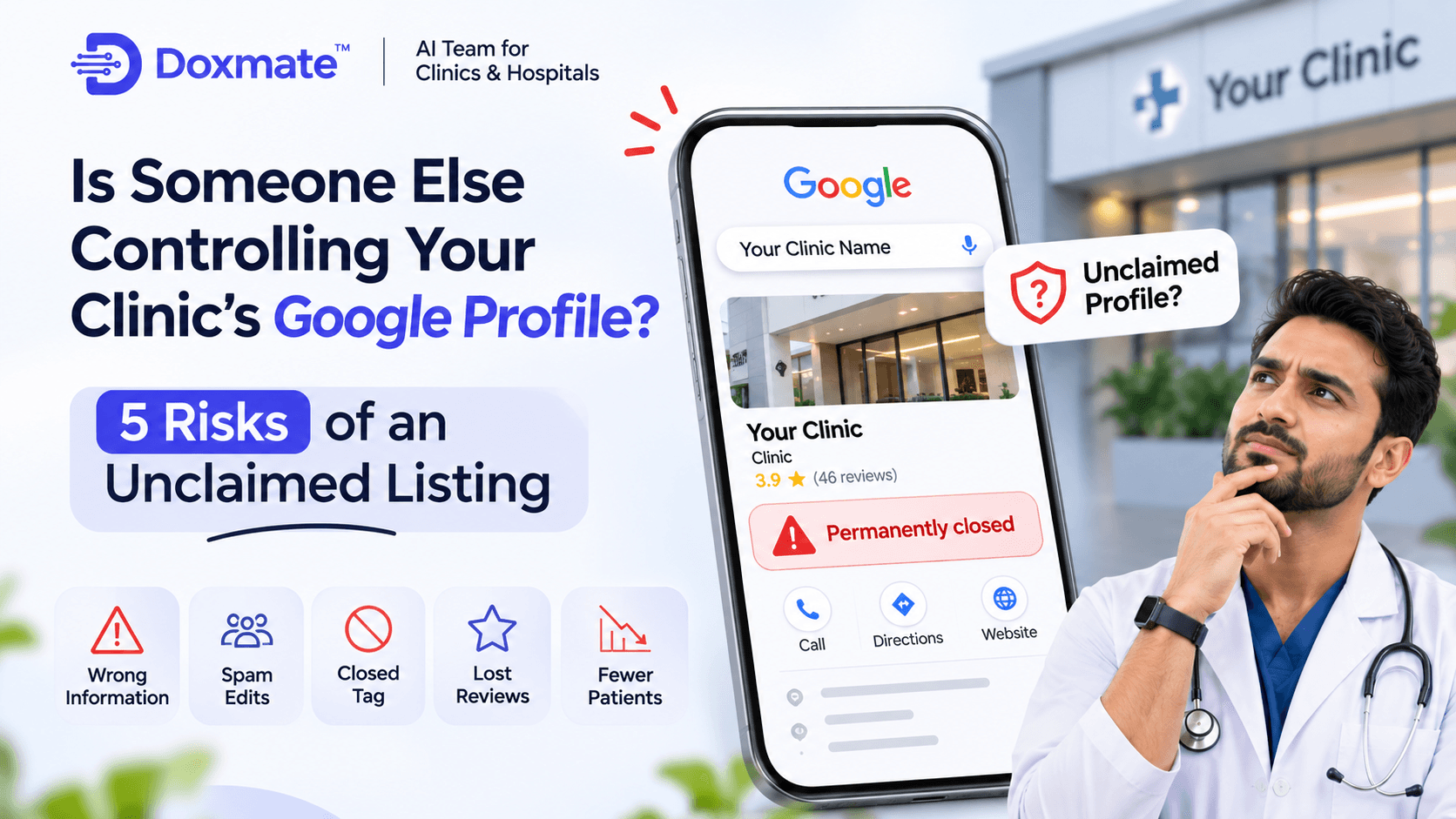
A patient is standing outside your clinic at 11 in the morning. The shutter is up, the receptionist is at the desk and your first appointment is already inside. But the patient's phone says something different. According to Google, your clinic closed permanently last month.
Nobody told you. You never changed anything. And yet this is what the world sees when it searches for you.
This is not an exaggerated scenario. It is one of the most common and least discussed problems in local healthcare marketing, and it almost always has the same cause: the clinic's Google Business Profile was never claimed. The listing exists, Google created it, patients can see it, but nobody on your team controls it.
In this article we will walk through what an unclaimed profile really is, the five risks it creates for a clinic, and the exact steps to take control back. We will keep it practical. If you are a doctor, a clinic manager or the person who looks after the front desk, you should be able to start fixing this today.
What does an unclaimed profile actually mean?
When people search for a business on Google, the result they see is called a Google Business Profile. It shows the name, address, phone number, opening hours, photos, reviews, a map pin and often a button to call or get directions.
Here is the part many doctors do not know. You do not have to create this profile for it to exist. Google builds listings on its own from public records, directories, data providers and user contributions. If a patient once added your clinic to Maps, or if your details appeared on a directory that Google trusts, a listing can appear without your involvement.
That listing is "unclaimed" when no verified owner is attached to it. It is like a signboard that someone else painted outside your clinic. It might carry your name, but you do not hold the key to change it.
A claimed profile, on the other hand, is linked to a Google account that you control, after Google has verified that you are really connected to the business. Once that is done, you decide what the profile says, how it responds to patients and what it shows to the world.
The difference sounds small. In practice, it decides whether your clinic gets found, trusted and called, or quietly skipped.
Risk 1: Wrong information that you cannot correct
The first and most basic risk is also the most expensive one. An unclaimed profile can carry details that are old, incomplete or simply wrong, and you cannot fix them yourself.
Think about what patients rely on when they find a clinic through Google:
- The phone number they will call
- The address they will drive to
- The opening hours they will plan around
- The website they will open to learn more
Now imagine any one of these is wrong. A number that has been switched off for two years. An address from your previous location. Hours that show you open on Sundays when you are not, or closed on Saturdays when you run a busy morning OPD.
Each of these errors has a cost, and the cost is rarely visible to you. A patient who calls a dead number does not leave a message. They go back to the search results and call the next clinic. A patient who arrives at a closed clinic does not come back the next day. They look for someone else, and some of them leave a one-star review to explain why.
The painful part is that you will almost never hear about it. Doctors usually discover the problem by accident, when a patient mentions it casually, or when someone on the team searches for the clinic and notices something off.
An unclaimed profile also tends to miss the information that actually helps patients decide. There is no list of services, no description in your own words, no booking link, no explanation of what makes your clinic different. Even when the basic details are correct, the profile looks thin, and thin profiles lose to complete ones.
What to do: search for your clinic on Google right now, as a patient would. Check every detail. Write down what is wrong. That list is the first thing you will fix once the profile is yours.
Risk 2: A "Permanently closed" tag you never asked for
This is the risk that gives most clinic owners a real fright, and it deserves its own section.
Google allows the public to suggest changes to business listings. This is useful in general, because customers often know when a shop has moved or shut down before the owner updates anything. But it also means that, on a profile with no active owner, there is nobody to review those suggestions and push back when they are wrong.
A closed marker can appear for several reasons:
- A user suggests that the business has closed, by mistake or on purpose
- Google's own systems notice a mismatch, such as an old address that no longer matches public records
- A clinic really did shift to a new location, and the old listing was marked closed while the new one was never connected
- A competitor or a disgruntled person reports the listing falsely
Whatever the reason, the impact is the same. A "Permanently closed" or "Temporarily closed" label sits on top of your profile in red or grey. Many patients will not read further. Some will assume the clinic has shut and move on. Others will call to check, but only if they care enough to try.
On a claimed profile, you are usually in a stronger position. You can see changes, update the business status, correct the hours and appeal wrong edits. On an unclaimed profile, you are effectively asking a stranger to correct a mistake on your behalf.
There is also a quieter version of this problem: a duplicate listing. Clinics that moved premises, changed names or merged with another practice often end up with two or three listings on the map. One is correct. The others are leftovers, and sometimes one of them is marked closed. Patients and Google both get confused about which is the real one, and your reviews get split between them.
What to do: search your clinic name, your own name, and your previous clinic name if you have changed it. Look for duplicates and closed labels. Note every listing that is yours. You will need this list when you claim and merge.
Risk 3: Reviews with no reply, and no visibility into what is happening
Patients leave reviews on unclaimed profiles too. Good ones, bad ones and the occasional confusing one that belongs to a different doctor with a similar name. The difference is that you cannot reply to any of them as the owner.
This matters more than most clinics realise, for two reasons.
First, patients read the replies, not only the reviews. When someone is deciding between three clinics, they look at how each one handles feedback. A thoughtful reply to a negative review can actually build trust, because it shows that a real person is listening and cares. A profile with five angry reviews and no reply tells the opposite story: either the clinic does not care or nobody is paying attention.
Second, you cannot see what is going on. Claimed profiles give you access to insights: how many people searched for you, how many called, how many asked for directions and which search terms brought them in. An unclaimed profile gives you none of this. You are running a clinic that is being looked at thousands of times without any idea who is looking or what they do next.
Consider what this does to your decision making. You may be spending money on a Facebook campaign, a newspaper advertisement or a hoarding, while the most valuable and cheapest source of new patients, Google search, is working without a dashboard.
There is a human side to this as well. Doctors often tell us that a harsh review stays in their mind for days. Not being able to respond makes it worse. You see the complaint, you know what really happened, and you cannot say a word in public. When you claim the profile, that changes. You can reply calmly, professionally and without sharing any private medical detail, which is exactly how a reply should be written.
What to do: read your last 10 reviews, good and bad. Notice which ones deserve a reply. That is the backlog you will clear in your first week after claiming.
Risk 4: Spam, fake edits and patients sent somewhere else
This risk is less common than the first three, but it is the most unsettling, and it is the reason why leaving a profile unclaimed is not a neutral choice.
Because an unclaimed listing has no active owner, it is easier for the wrong person to interfere with it. We see a few patterns repeatedly in local search:
- Wrong phone numbers. Someone suggests a different number for your clinic, perhaps a lead generation service, an aggregator or a competing practice. Patients who think they are calling you reach somebody else, who may then pitch them a different clinic.
- Unrelated website links. A suggested edit swaps your website for a booking portal, a directory page or an unrelated site.
- Fake or unrelated photos. Anyone can upload photos to a listing. Without an owner to remove them, an irrelevant or even embarrassing image can become the first thing a patient sees.
- Someone else claims your profile. This is the biggest one. If you do not claim your listing, somebody else may do it first, whether it is a former employee, an agency that was never properly offboarded, or a stranger who simply wants the traffic.
That last point deserves to be taken seriously. When a profile is claimed by the wrong person, getting it back becomes a process. You have to request ownership, wait, prove your identity and sometimes go through repeated attempts. During that time your patients are being served by a profile you cannot control.
Clinics also run into this problem after a staff change. A receptionist who set up the profile on a personal Gmail account leaves, and nobody else has access. The profile is technically claimed, but the owner is gone. It is effectively unclaimed for all practical purposes, and the clinic has the same risks plus a locked door.
What to do: when you claim your profile, use an email address that belongs to the clinic, not to an individual. Add at least one more trusted person as an owner or manager, so that you are never locked out.
Risk 5: Your competitors keep moving while you stand still
The first four risks are about damage. The fifth is about opportunity, and it may be the most important one in the long run.
Google's local results are competitive. When someone searches for a specialist near them, Google chooses a small number of clinics to show in the map results, often only three. Those three get most of the calls.
How does Google choose them? In simple terms, it looks at three things: how relevant your profile is to the search, how close you are to the patient and how prominent you are compared with others. Relevance and prominence are built on the information and activity of a profile.
An unclaimed profile has almost none of that to offer. There is no selected primary category, no list of services, no description, no regular photos, no fresh posts, no replies to reviews, no booking link and no recent signs of life. The clinic across the road, which claimed its profile and keeps it active, simply looks like a better answer to Google, and it looks like a better choice to the patient.
This is also why the gap widens over time. Active profiles collect more reviews, more photos and more engagement. That makes them more visible, which brings more patients, which brings more reviews. The cycle feeds itself, and an unclaimed profile is not even in the race.
There is another subtle cost. Many patients now judge a clinic's credibility before they ever enter the door. They check Google, look at the rating, scan the photos and read two or three reviews. A profile that looks neglected sends a quiet signal about the clinic itself, however good the care is inside.
This is not fair, but it is real. Good doctors with unclaimed profiles lose patients every month to average doctors with active ones. The fix is simple, free and takes less than an hour to start.
What to do: search for your specialty and your area, for example "dentist near me" or "child specialist in your neighbourhood". Look at the top three results. Compare their profiles with yours. That gap is your opportunity.
How to check whether your profile is already claimed
Before you do anything else, find out where you stand. It takes two minutes.
- Open Google Search or Google Maps on your phone or computer.
- Type your clinic name along with your city or area.
- Open your profile from the results.
- Look for a link that says "Claim this business" or "Own this business?". If it is there, the profile is unclaimed.
- If you do not see that link, the profile may already be claimed, possibly by you in the past, by a former staff member or by an agency.
If you are not sure, try to sign in to Google Business Profile with the email addresses you normally use. If the profile does not appear in any of them, someone else probably holds it, and you will need to go through the ownership request process described below.
While you are checking, also search for old clinic names, your own name with the word "clinic", and your phone number. This is how you find duplicates and forgotten listings.
How to claim your Google Business Profile, step by step
Claiming a profile is a simple process, but it helps to prepare first. Keep these ready: the exact clinic name as it appears on your signboard, your full address, a working phone number and access to the email account that you want to use as the owner account.
Step 1: Sign in with the right Google account. Use a clinic email, not a personal one, if possible. This account becomes the owner. If you plan to use a team email, make sure at least two people know the password and recovery details.
Step 2: Find your listing. Search for your clinic on Google or Maps and click the claim link on the profile. You can also go to the Google Business Profile website and search for your business from there.
Step 3: Confirm that this is your business. Google will show your listing and ask you to confirm. If you have duplicates, choose the correct one and note the others for later.
Step 4: Check the details. Review the name, category, address, phone number and website. Fix anything that is wrong. Use your real signboard name. Do not add keywords or locations to the name, because that is against Google's guidelines and can lead to suspension.
Step 5: Choose your verification method. Google verifies that you are connected to the business. Depending on your business and location, you may be offered a code by phone or text, a code by email, a short video showing your clinic, or a postcard sent to your address. Choose the one offered and follow the instructions. Video verification, where offered, usually asks you to show the exterior signboard, the inside of the clinic and some proof of your connection to the business, such as equipment or a staff area. Read Google's on-screen instructions carefully, because requirements can change.
Step 6: Wait for confirmation. Some methods finish within minutes, others take longer. Do not create a second listing while you wait, because that leads to duplicates and can make verification harder.
Step 7: Complete the profile. Once verified, add everything you can: primary and secondary categories, services, opening hours (including holiday hours), a description in plain language, clinic photos and a booking or appointment link if you have one.
If something goes wrong at any stage, Google's Help Center is the most reliable place to look for current instructions, because the verification process is updated from time to time.
What if someone else has already claimed it?
This happens more often than you would expect. A former employee, a web developer, a marketing agency or a previous partner may have set up the profile years ago, and the credentials were never shared with you.
If the profile is claimed by someone else, you will usually see an option to request access instead of claiming directly. Here is how to approach it:
- Try the people first. Ask your team, your website developer and any past marketing agency whether they set up the profile. Often the quickest fix is a phone call.
- Request ownership through Google. Use the request access option on the profile. The current owner receives a notification and has a limited time to respond. If they approve, you get access. If there is no response, Google may allow you to continue with your own verification.
- Be patient and keep records. Note the date of your request and any reply. If the owner refuses or the process stalls, you can contact Google Business Profile support and explain that the profile belongs to your clinic.
- Protect yourself afterwards. Once you hold ownership, add more owners or managers and remove access for anyone who should no longer have it.
Do not try to fix this by creating a duplicate listing. It looks like a shortcut, but it will split your reviews, confuse Google and may cause both profiles to be flagged.
Your first 7 days after claiming
Claiming is the start, not the finish. A newly verified profile with blank sections will not rank well. Use the first week to build a solid base.
Day 1: Correct the basics. Fix the name, address, phone number, website and opening hours. Set holiday hours for the coming festivals.
Day 2: Choose categories carefully. Pick one primary category that best describes your practice, and add a few secondary categories only if they truly apply.
Day 3: Write your description and services. Describe your clinic in a natural way: who you are, how long you have practised, what conditions you treat and where you are located. Add each service separately.
Day 4: Add photos. Upload clear photos of the entrance, the reception, the waiting area, the consultation room and the doctor. Never upload a patient's photo without written permission.
Day 5: Clean up duplicates. Report or merge duplicate listings so that all reviews and information live on one profile. Use Google's tools or support for this.
Day 6: Reply to reviews. Go through your backlog. Thank the happy patients briefly and personally. For critical reviews, respond with empathy, invite the person to contact the clinic and never share medical details in public.
Day 7: Set up a review habit. Decide how you will ask patients for reviews regularly, for example through a QR code at reception or a polite message after the visit. Do not offer gifts or discounts in return for reviews, and do not select only happy patients to ask. Both go against Google's policies.
Keeping the profile healthy
A claimed profile can still go stale. The clinics that benefit most from Google are the ones that keep showing up on their own profile every week.
A simple monthly rhythm works well:
- Check that hours, phone number and holiday timings are still correct
- Add a few new photos
- Post an update, such as a seasonal health tip, a new service or a change in timing
- Reply to every new review within a day or two
- Look at the insights to see how many people called, asked for directions or visited your website
The challenge, as every clinic discovers, is consistency. The doctor is busy with patients. The receptionist is already juggling calls, billing and walk-ins. A plan that depends on someone remembering to do five extra things each week usually lasts about three weeks.
Where Doxmate helps
This is exactly the gap that we built the Growth Agent in Doxmate to fill. Once your Google Business Profile is connected, it helps you keep the profile active without adding to your team's workload. It can prepare posts for your approval, draft replies to reviews, guide happy patients through leaving a review, and show you which parts of your profile are still incomplete. You stay in control and can require approval before anything goes live.
If you are not sure where your profile stands today, start with the Free GBP Report. It checks your Google Business Profile and shows what is missing, so you know what to fix first. You can also read more about the Growth Agent to see how daily upkeep can run in the background.
Final thoughts
Most doctors never decide to leave their Google profile unclaimed. It simply happens, because the listing appeared on its own and everything seemed fine. But the quiet costs add up: wrong timings, a closed label, reviews without replies, spam edits and a steady loss of patients to clinics that look more active online.
The good news is that the fix is within your reach. Claiming your profile is free. It takes one sitting to start and a few minutes a week to maintain. And the moment you take ownership, you stop letting Google, strangers or an outdated directory decide how patients see your clinic.
Search for your clinic today. If you see the claim link, do not wait. Your patients are already looking at that profile. Make sure it says what you want it to say.
Check your profile now: run the Free GBP Report and see how your clinic looks on Google.